> For the complete documentation index, see [llms.txt](https://docs.tgshop.io/llms.txt). Markdown versions of documentation pages are available by appending `.md` to page URLs; this page is available as [Markdown](https://docs.tgshop.io/osnovnye-nastroiki/marketingovye-instrumenty/programma-loyalnosti/integraciya-s-maxma.md).
# Интеграция с Maxma
В этой инструкции вы узнаете как подключить программу лояльности от Maxma
Программа лояльности — это инструмент для удержания клиентов и стимулирования повторных покупок.
### Возможности интеграции
1. Авторизация по номеру телефона текущей клиентской базы зарегистрированной в данной программе лояльности. Регистрация новых пользователей.
2. Бонусы (кэшбек) за оплаченные товары, которые покупатели смогут потратить на следующие заказы.
3. Проверка баланса и история транзакций по ним - начисления и списания.
4. Применение промокодов - после включения интеграции в магазине будут работать только промокоды созданные в Maxma.
Программа лояльности доступна после [интеграции с Maxma.](https://maxma.com/?utm_source=partners\&utm_medium=tgshop) Вся логика начисления и списания бонусов, а также параметры участия клиентов настраиваются в Maxma.
### Подключение программы
1. В [личном кабинете Maxma ](https://maxma.com/?utm_source=partners\&utm_medium=tgshop)настройте программу лояльности по рекомендациям системы
2. В личном кабинете TGShop перейдите в раздел Интеграции -> Cоздать интеграцию -> Maxma
3. Введите API-ключ, который вы можете узнать у менеджера [в Maxma](https://maxma.com/?utm_source=partners\&utm_medium=tgshop)
4. Создайте интеграцию.
5. Для включения программы лояльности активируйте созданную интеграцию.
После включения программы лояльности в TGShop:
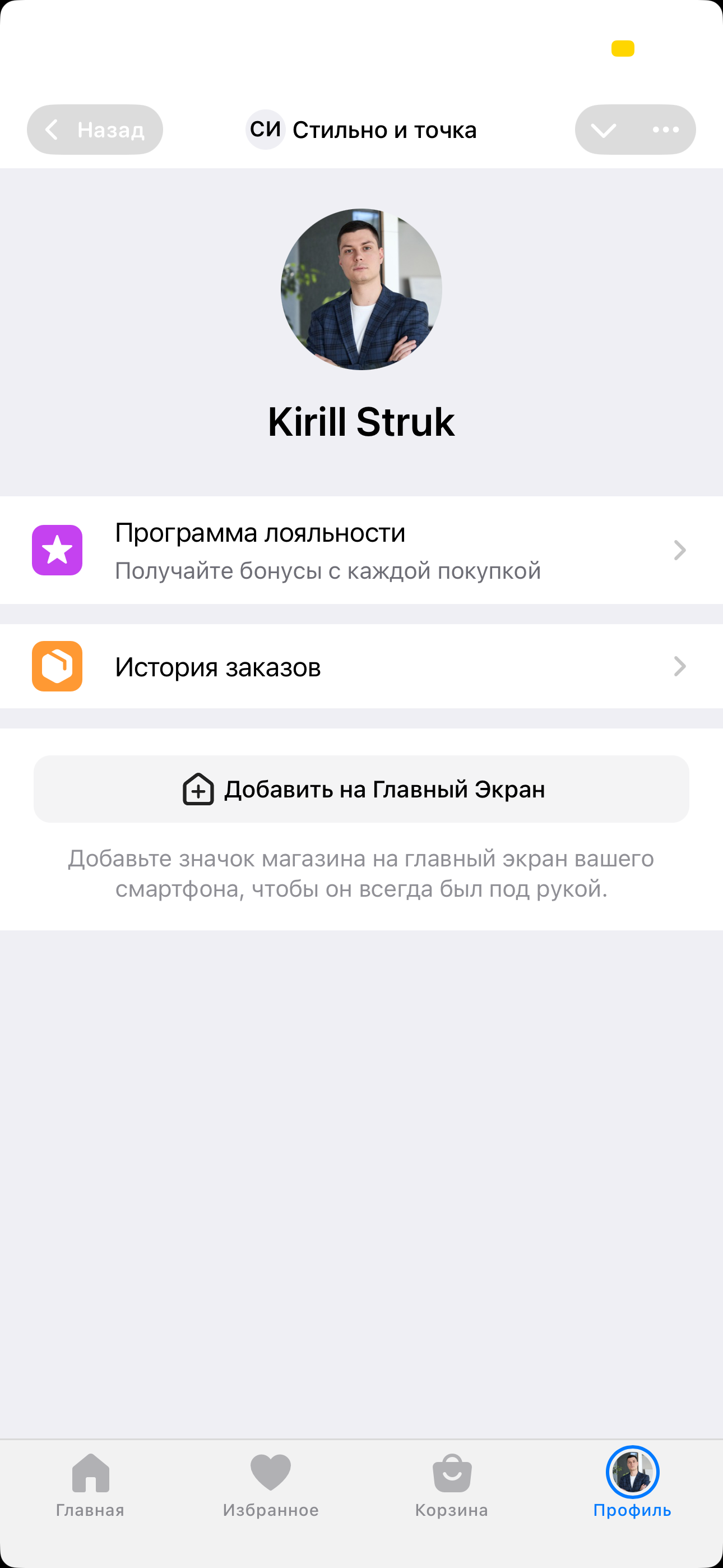
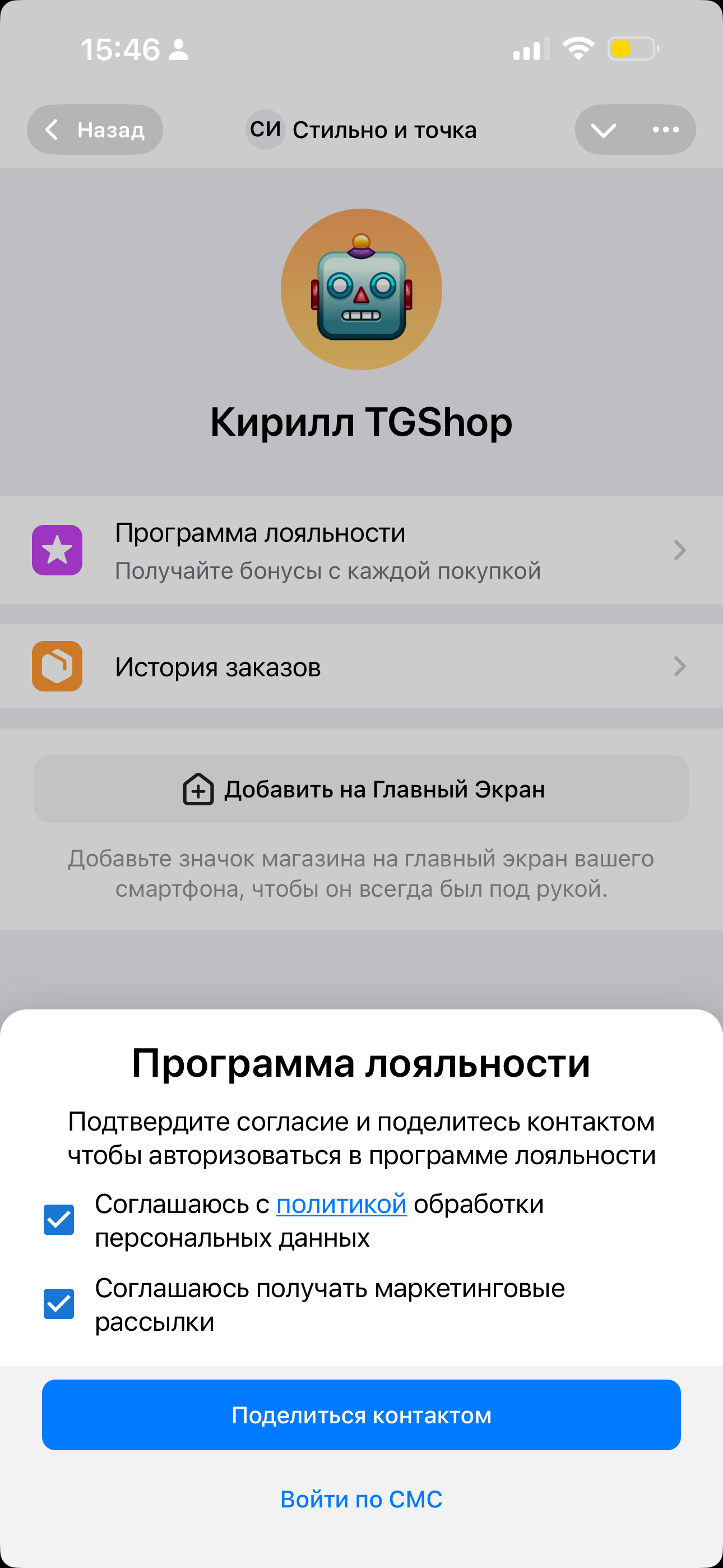
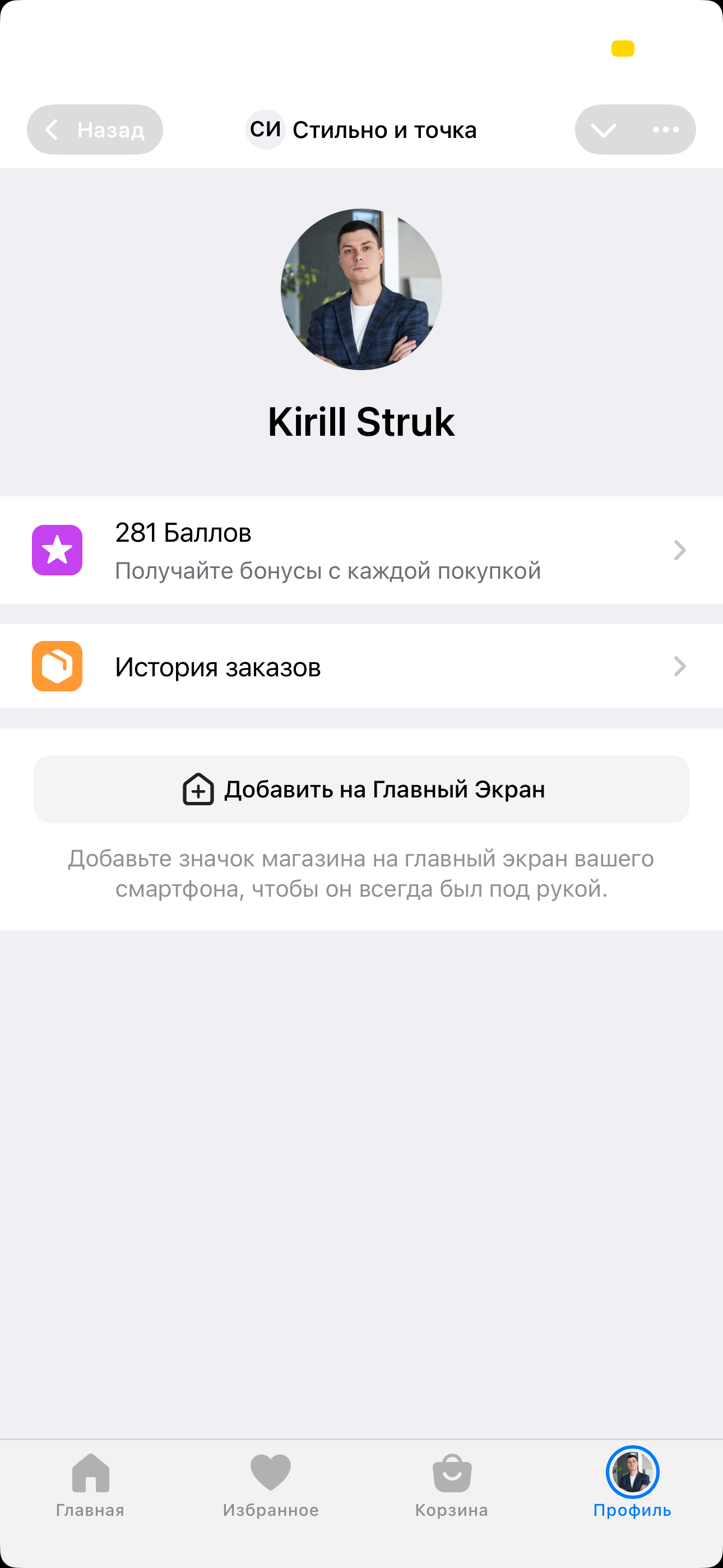
* В личном кабинете покупателя появится страница **Личный кабинет** → **Программа лояльности**. На этой странице пользователи смогут:
* зарегистрироваться в программе лояльности;
* увидеть свой баланс бонусов, историю начислений и списаний бонусов за заказы.
* В окне оформления заказов появится раздел с балансом баллов и возможностью списать их для оплаты заказа.\
В стоимости заказа отображаются:
* Кешбек — сколько бонусов начисляется за заказ.
* Сумма скидки — появляется, если включена опция писания бонусов.
###
---
# Agent Instructions
This documentation is published with GitBook. GitBook is the documentation platform designed so that both humans and AI agents can read, navigate, and reason over technical content effectively. Learn more at gitbook.com.
## Querying This Documentation
If you need additional information that is not directly available in this page, you can query the documentation dynamically by asking a question.
Perform an HTTP GET request on the current page URL with the `ask` query parameter, and the optional `goal` query parameter:
```
GET https://docs.tgshop.io/osnovnye-nastroiki/marketingovye-instrumenty/programma-loyalnosti/integraciya-s-maxma.md?ask=&goal=
```
`ask` is the immediate question: it should be specific, self-contained, and written in natural language.
`goal` is optional and describes the broader end goal you are ultimately trying to accomplish on behalf of the user. GitBook uses it to tailor the answer towards what is most useful for that goal.
The response will contain a direct answer to the question and relevant excerpts and sources from the documentation.
Use this mechanism when the answer is not explicitly present in the current page, you need clarification or additional context, or you want to retrieve related documentation sections.
.png?alt=media&token=ae4af82f-03d5-45ff-aa5d-c38ff546e5e5)